

TV BOX
See below the instructions required to configure your tv box device
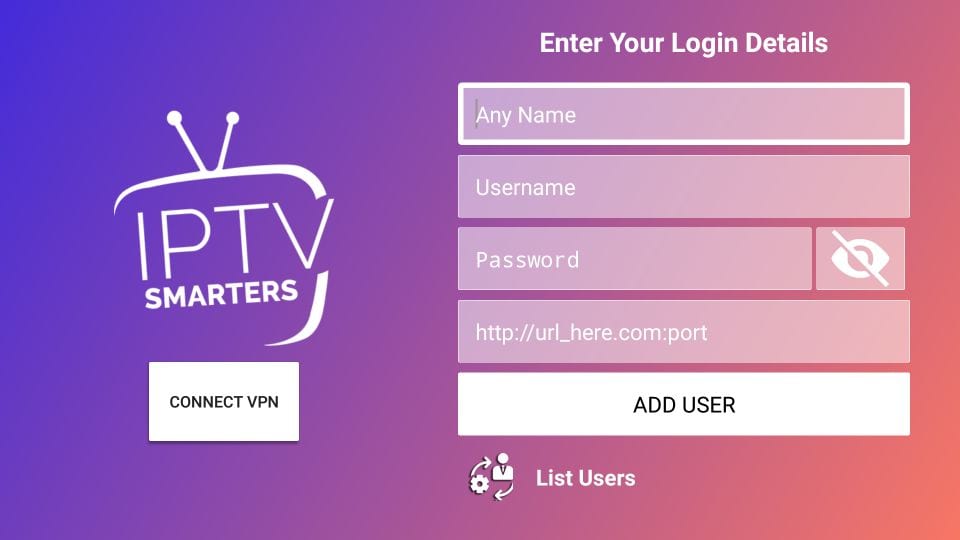
STEP 1: Download The App On Your TV
Go to the app store on the phone or tablet and download the next launcher app
After opening the application, you will see this screen. You must choose the second option Login with Xtream Codes API

STEP 2: Enter The Subscription Data
This is the last step. Once this screen is displayed, enter your subscription data, which you obtained when you contacted
customer service as follows:
Any name: IPSOS
Username: you will receive it via Email
Password: will be sent to you ivia Email
http: // URL: the link to the visualization server, you will receive it in your Email after subscription
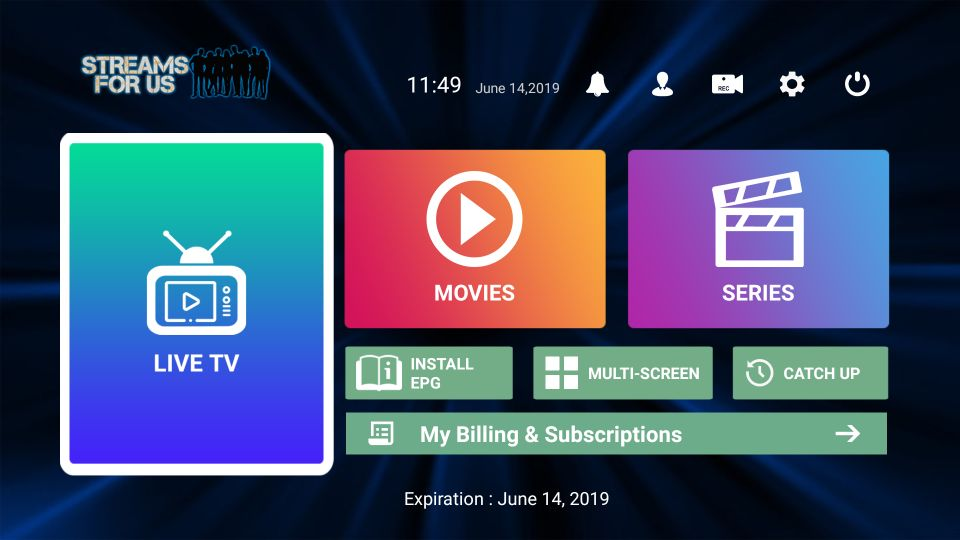
STEP 3: List of Channels / VOD
After logging in , you will see this main screen.
the features you see will be explain to you in details
Live: to access channel lists and 24 hour live broadcasts.
Movies: to access the Movies menu.
Series: to enter the series list.
...
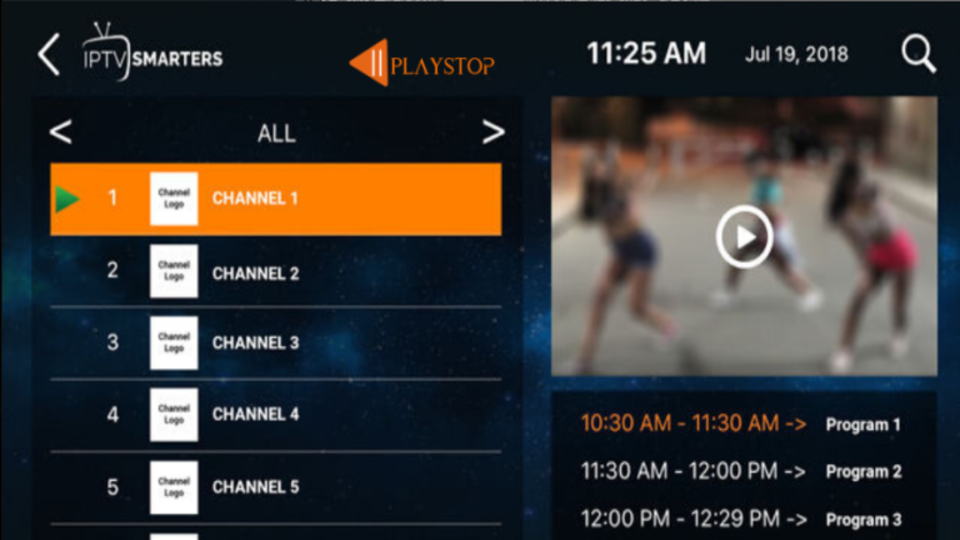
STEP 4: Selecting and Changing Channels
This is the screen that appears to you when you access the channel list. it contains the names of the channels in the list on the left side and the viewing screen on the right side Note: Channels are divided into groups (Language / foreign / by type / by image quality), you can move between the different groups by clicking on the arrows next to the word ALL To enlarge the screen, double-click on the square of the screen on the right
 English
  Français