
SS IPTV
See below the instructions required to configure your tv box device
STEP 1: Download The App
Find the app and download it through your smart TV store, the advantage of this app is that it is available on most smart TVs, and it is high quality in reading subscriptions Note: this app is only a subscription based app, and it is not the subscription itself, it is owned by a German company and it is free for only 7 days and then 14.99 euros for life
STEP 2: Send us the TV MAC ADDRESS
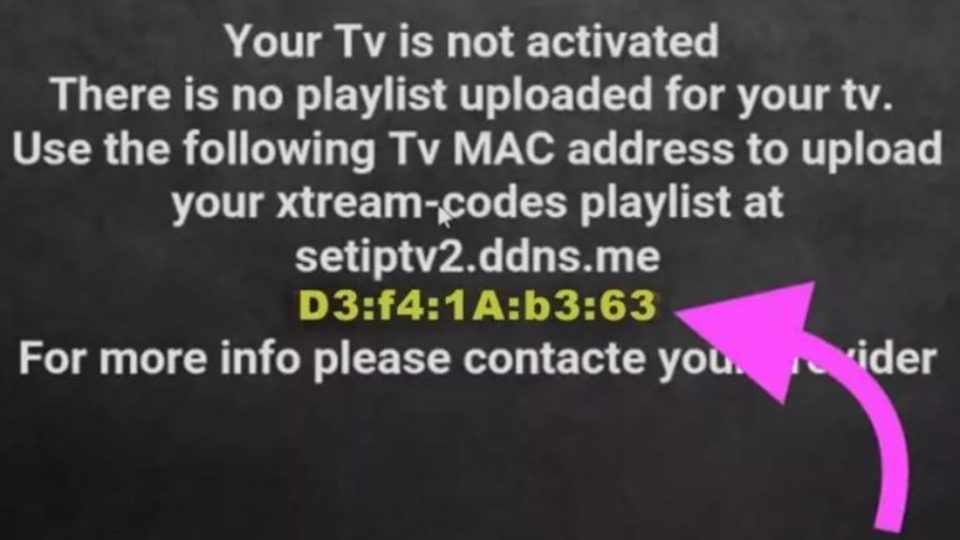
When you run the app for the first time, this message will appear to you and will contain your TV MAC ADRESS , send us this number when you fill out the trial subscription request or via the following email contact@ipsostv.com The customer service agent will automatically activate the subscription on your smart TV
STEP 3: Buy The App
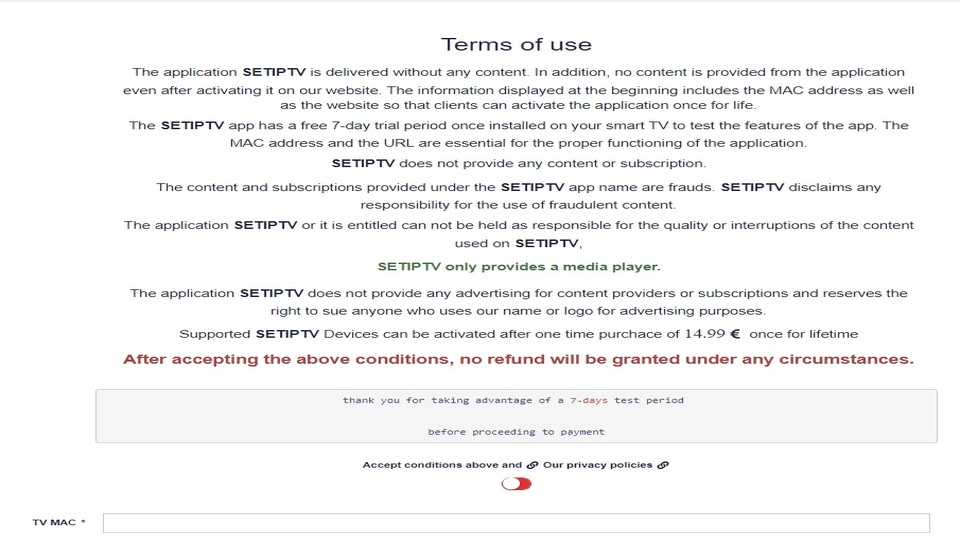
As we told you earlier in this explanation, that this app is a subscription activated app, and it is not the subscription itself, it means that this app is not affiliated with IpSos, but rather to a Germain company, and that it is a non-free application. A few days later, the payment screen will appear, as in the image opposite, if you want to buy the app, you can enter your credit card information and pay 14.99 euros once in a lifetime, or you can try other apps
 English
  Français