

DUPLEX IPTV
See below the instructions required to configure your tv box device

STEP 1: Download The App
First of all, you need to find the app and download it from the store of the device you want to run it on.
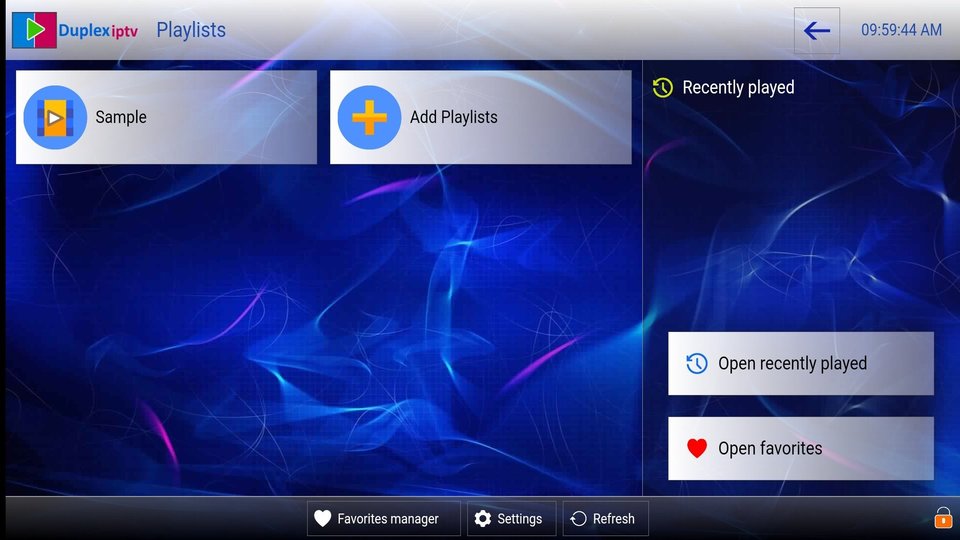
STEP 2: Add a Subscription List
When you open the app for the first time, choose the next option on the main page, Add playlist... You will see a screen with two numbers, device ID and device key. Send those numbers to the customer service representative at contact@ipsostv.com Or enter them when submitting a trial subscription request The customer service employee will directly upgrade the subscription.
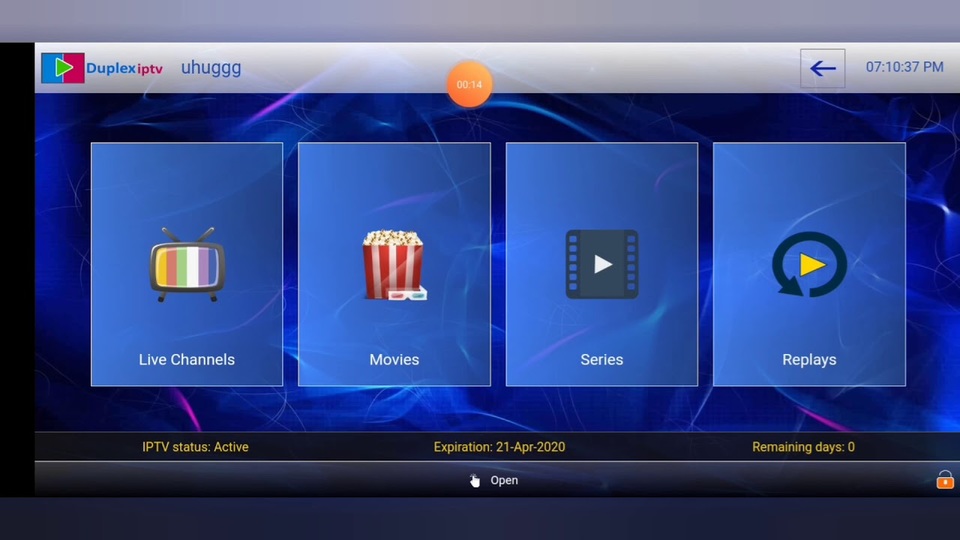
STEP 3: List of Channels/VOD
The customer service representative will inform you that he has activated the subscription on your device, the next step is to close the app and open it again, this screen will appear for you divided into 3 categories which are Live Channels / Movie / Series / Replays. Note: When you select the “Live Channels” folder, you will see the channels divided into groups.
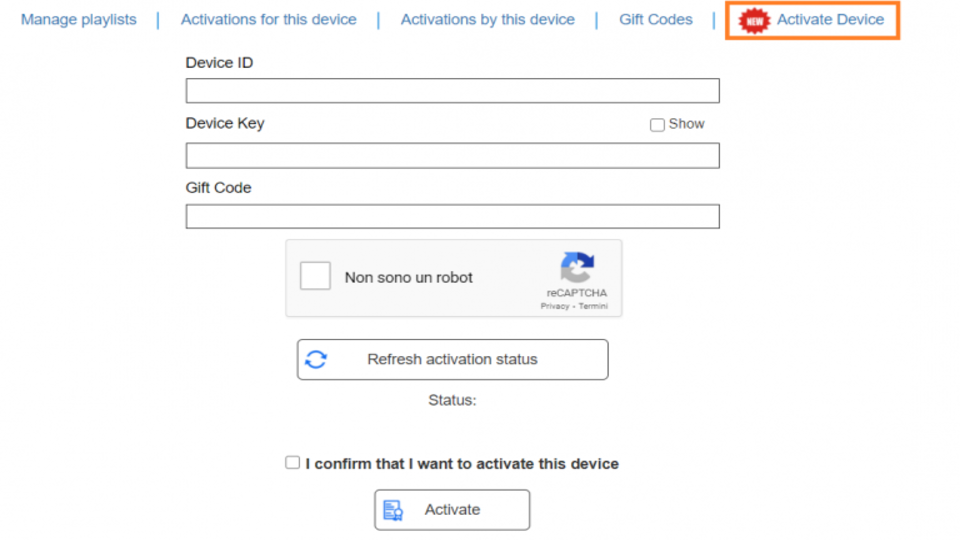
STEP 4: Buy The App
This app is owned by Duplex and is not affiliated with IpSos. When you download the app, Duplex will offer you a 7 day free trial, then you have to buy it at $ 1 for a 6 months period or $ 2 for a two years period, and you can purchase the subscription directly from the application from the "Activate The Device" section
 English
  Français