

LAPTOP/PC
See below the instructions required to configure your Laptop
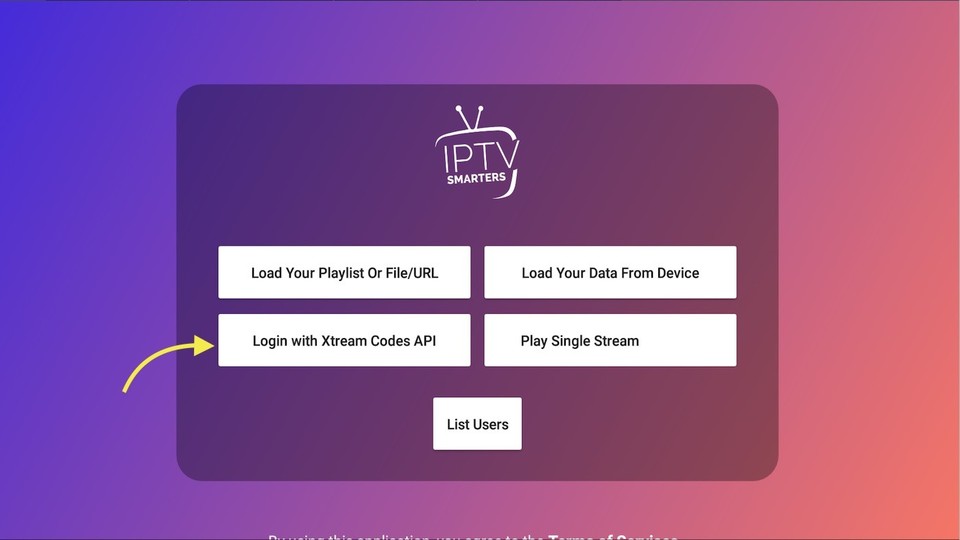

STEP 2: Enter The Subscription Data
This is the last step. Once this screen is displayed, enter your subscription data, which you obtained when you contacted customer service as follows:
- Any name: use your user account.
- subscription Password: your password will be sent to you via email
- http: // URL: the link to the viewing server, will be sent to you via email

STEP 3: List of Channels/VOD
Go to where the file is saved and run it using the program as shown in the picture. Wait for a while for the channels to load and enjoy the show. After logging in you will see this main screen, features will be explained to you.
- Live: to access channel lists and 24-hour live broadcasts
- Movies: to access the movies menu
- Series: to enter the series list
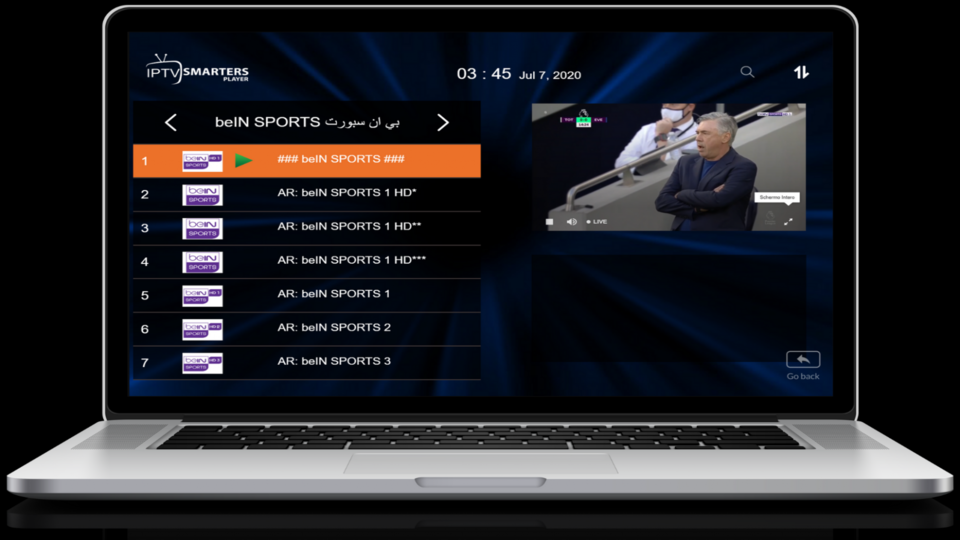
STEP 4: Selecting And Editing The Channel List
Channels are divided into different groups according to channel classification, for example sports channels, Arabic channels, Islamic channels, beIN Sports channels and Netflix , or channels for each country separately, for example : Moroccan channels and Egyptian channels, after choosing the group, you will see The list of channels belonging to the group you have chosen, and you can switch between the channels thanks to the clear white arrows on the screen next to the name of each group or by the back to back button at the bottom of the screen on the right,

STEP 5: List of Movies
When you select the movie list, the movies appear divided by genre, for example: Arab movies - foreign movies - Gulf movies - horror movies - comedy movies, etc. Each movie list contains many movies that fall into that category, and we're updating those movies regularly, and we also add movies on demand, so that each customer can send us a request for the movies they want to add to the subscription, and we will respond to that request directly.

STEP 6: List of Series
When you choose the series list, the series will appear divided by genre, for example: Arab series - Egyptian series - Syrian series - Lebanese series, and so on, each movie list has many series that belong to this category, and we update these regularly, we also add the series on demand, so every customer can send us a request for the series they want to add to the subscription, and we will reply directly .
 English
  Français